How to connect Pledr — step by step
Pick your AI tool below. Each one has an illustrated step-by-step guide and simple written instructions — no technical background needed.
The animations below are illustrated guides showing where to click — not screen recordings of each platform (their real screens may look slightly different, and can change over time).
Claude
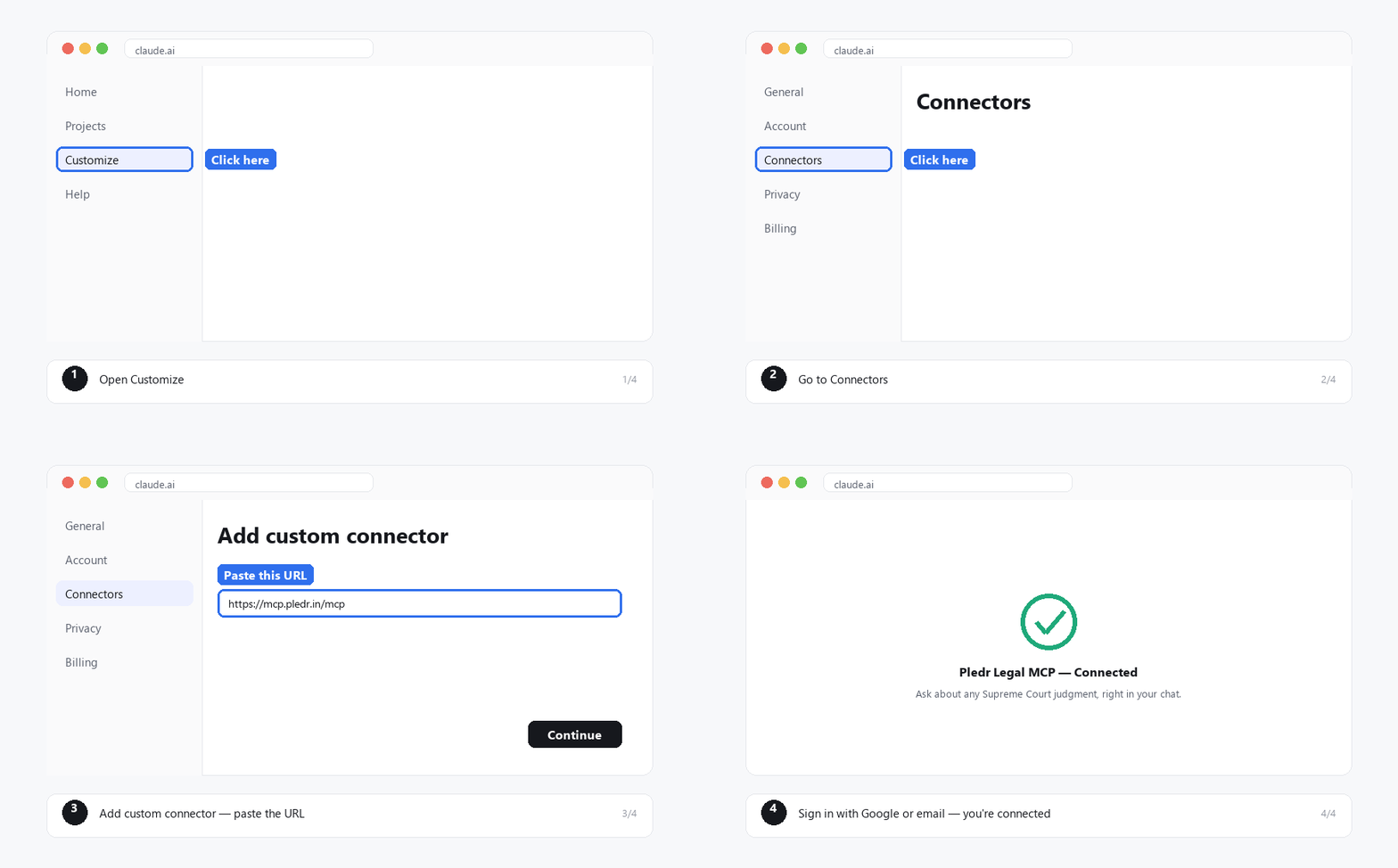
Go to pledr.in and click "Add to Claude" — this opens Claude with Pledr's details already filled in.
Review the name and URL shown, then click Continue .
Sign in with your Google account or email — this only takes a moment.
You're connected. Ask Claude any question about Supreme Court judgments and it will search for you automatically.
ChatGPT
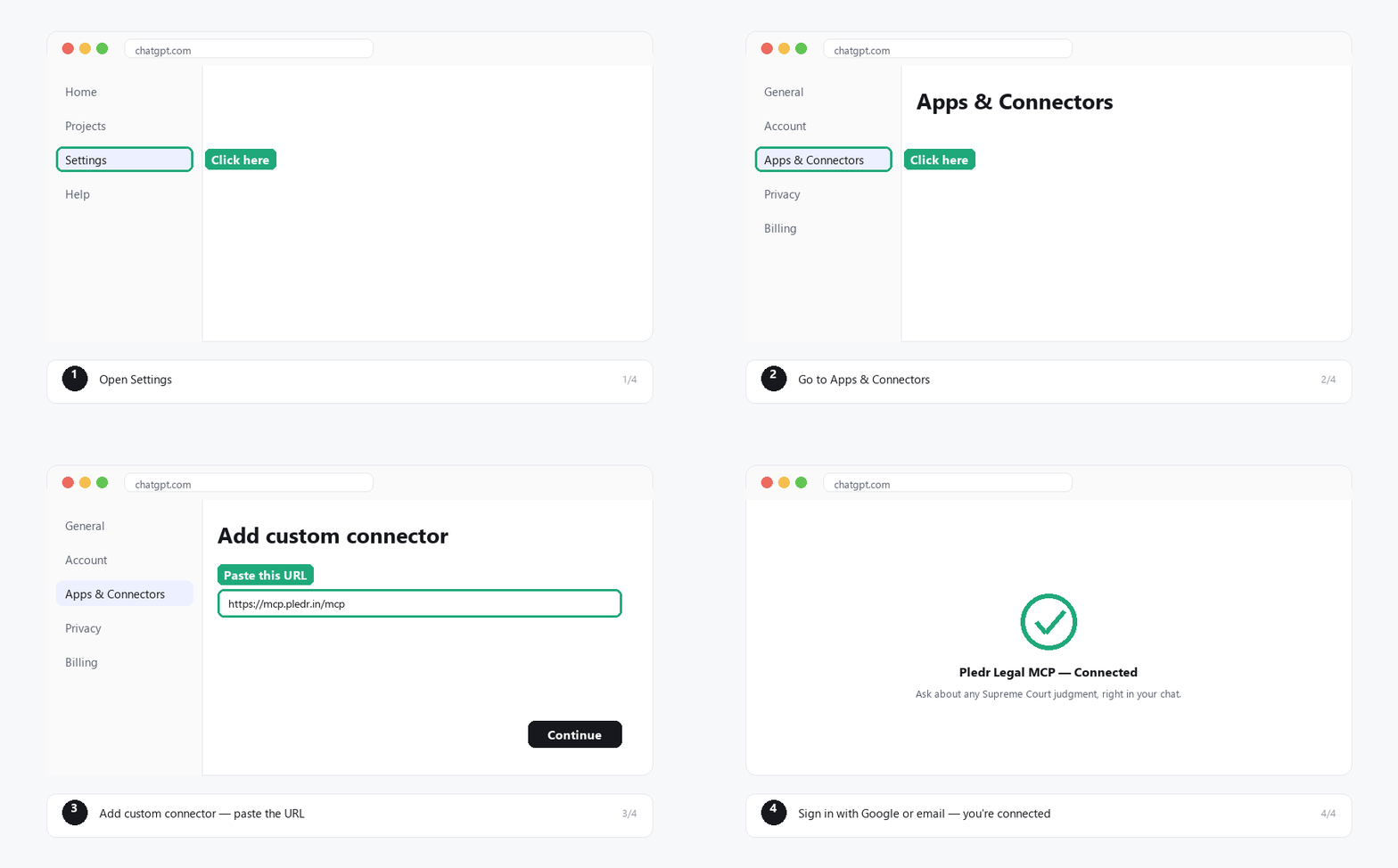
Open ChatGPT and go to Settings → Apps & Connectors .
Click Create , then paste this URL: https://mcp.pledr.in/mcp
Give it a name (e.g. "Pledr Legal MCP") and save.
Click the connector to sign in with Google or your email.
You're connected — ask ChatGPT to search Supreme Court judgments any time.
Perplexity
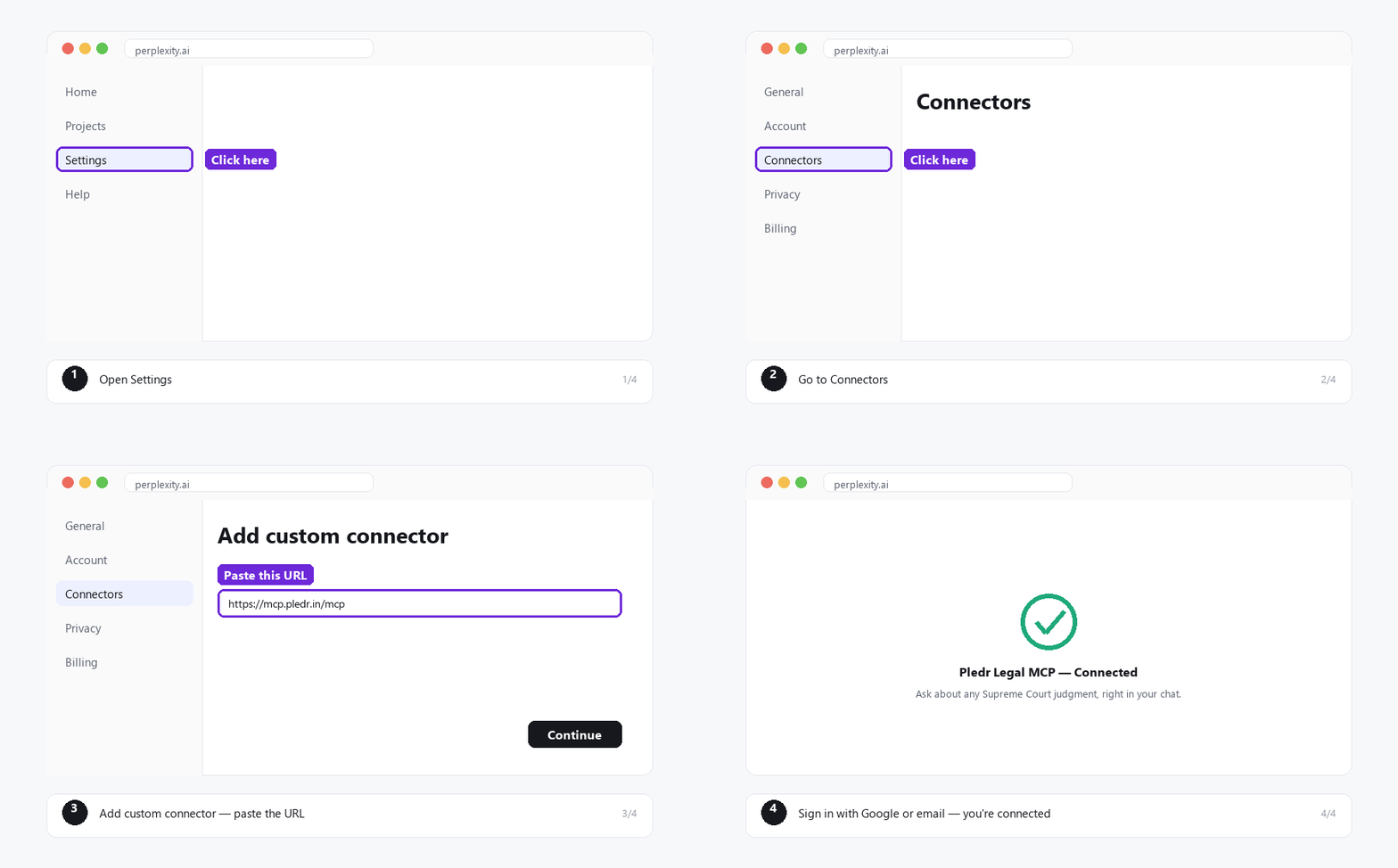
Click your profile icon → Settings → Connectors .
Click Add custom connector , then paste this URL: https://mcp.pledr.in/mcp
Choose Streamable HTTP as the transport type, and save.
Click the connector card to sign in with Google or your email.
You're connected — ask Perplexity to search Supreme Court judgments any time.
Cursor
For developers
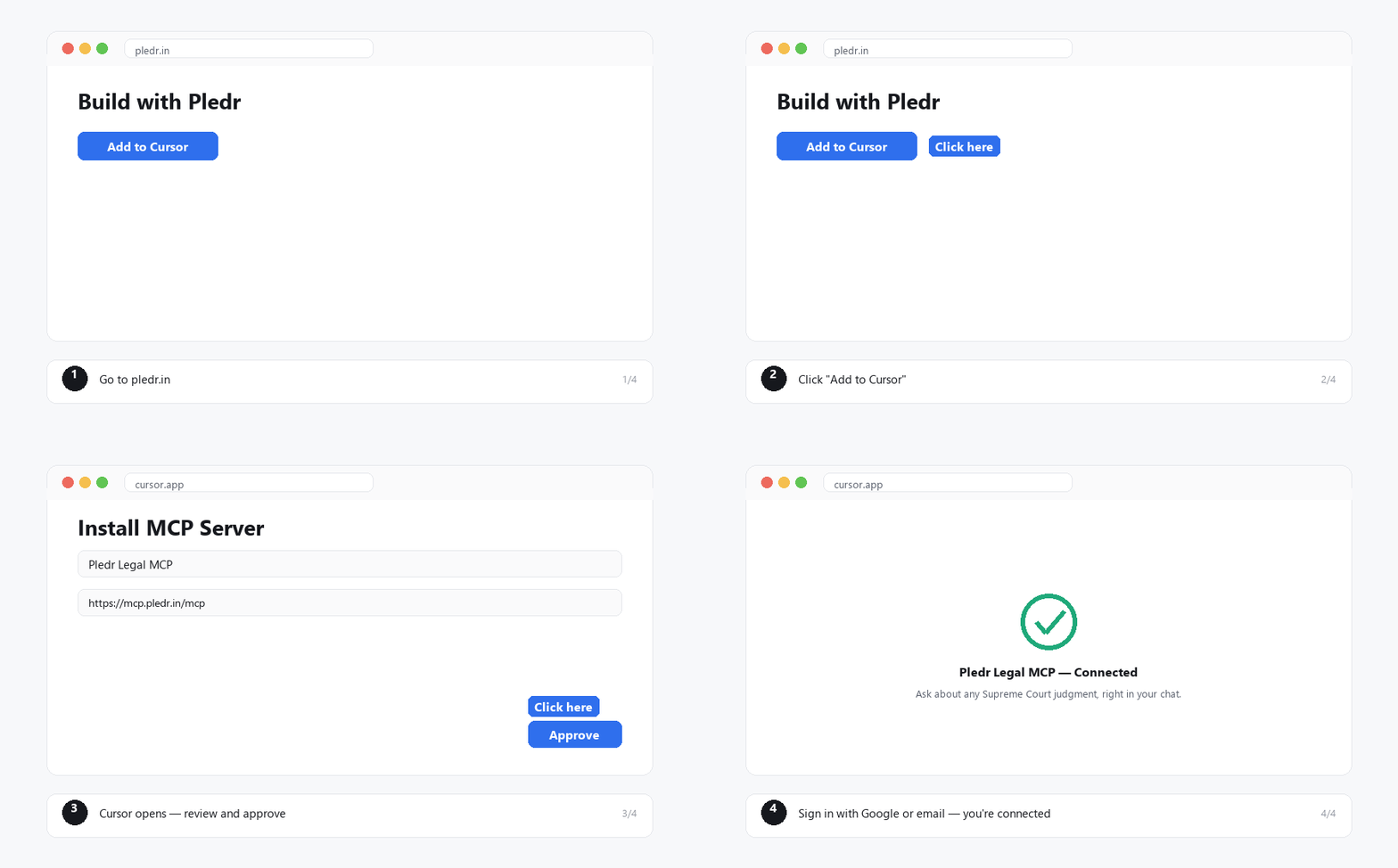
Go to pledr.in and click "Add to Cursor" .
Cursor opens with Pledr's details already filled in — review and approve.
Sign in with Google or your email when prompted.
You're connected — ask Cursor's chat to search Supreme Court judgments any time.